
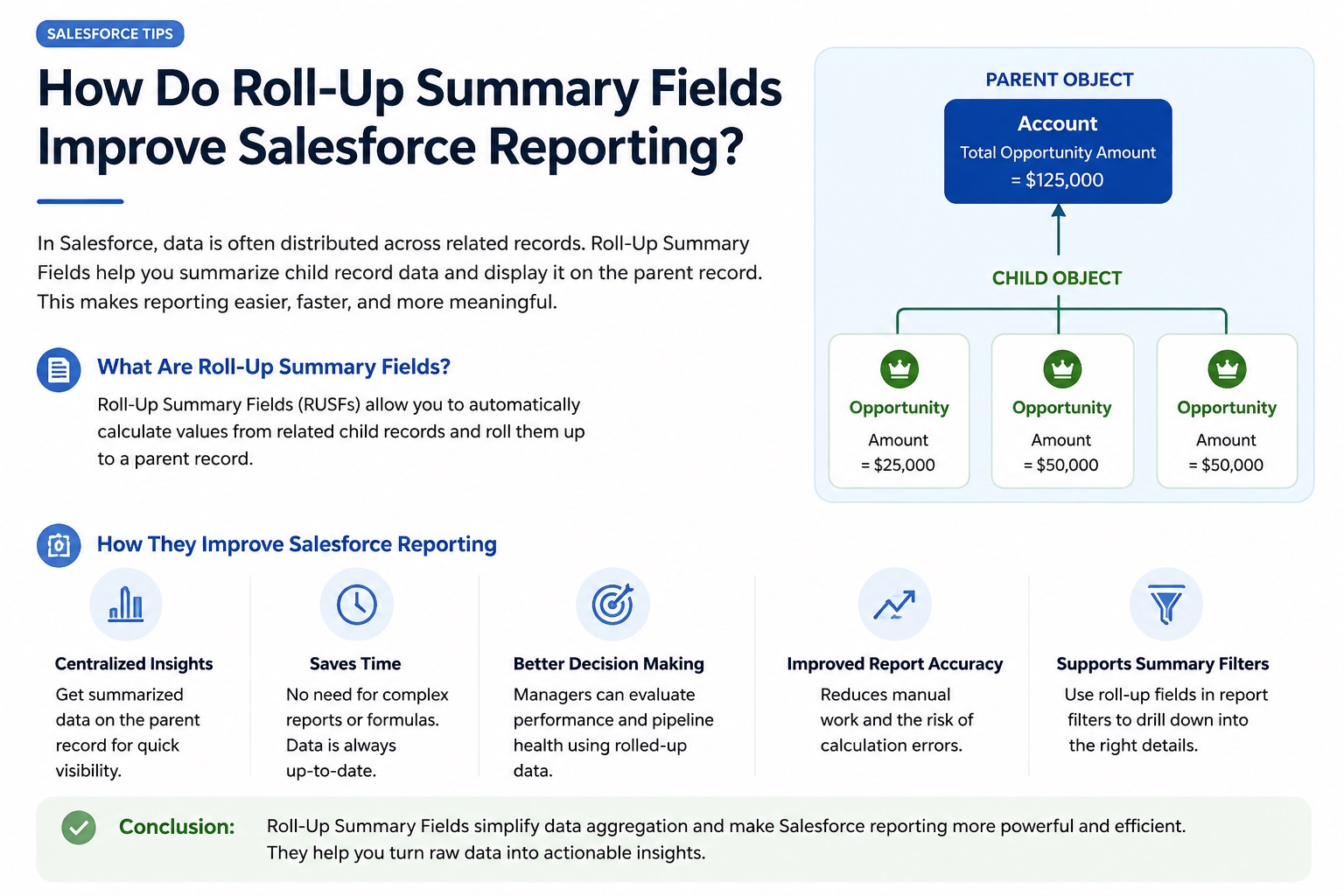
The roll-up summary field allows you to easily calculate numbers and information from the child records. This is an advantageous tool that will improve your reports and help you calculate the precise total number right on the main parent record. Enrolling in a good Salesforce Online Course will show you how to use these auto-calculated fields.
Acquiring knowledge of these tools will allow you to create a solid database structure suitable for large corporations. This tool eliminates any manual data tracking. Your system remains clear and fast, ready for prompt business decisions.
Why Do Roll-Up Summary Fields Improve Salesforce Reporting?
Data teams love roll-up fields because they stop slow calculations during heavy report runs. Your dashboards will load much faster since the math is already finished in advance. Manual data entries often cause mistakes, but automatic math ensures total data accuracy.
These fields save hours of manual work because employees do not have to update totals by hand. Standard report filters can use these fields directly to group your audience easily. This native speed gives your leadership team quick access to clean business data.
How Do Roll-Up Summary Fields Work?
Roll-up summary fields are used by linking up your data through a master-detail relationship. This will calculate your data through an iterative process done behind the scenes:
The students who enrol in Salesforce Training In Chennai learn how to construct this process by using four basic mathematical functions.
- SUM: This field adds up all the total numbers contained in all the child records.
- COUNT: It counts the number of child records found in your database.
- MIN: It gives the lowest value or date found in the child records.
- MAX: This finds the highest value or date found in the child records.
For example, a manager will be able to roll up individual opportunity values to the parent account record.
Roll-Up Summary Fields vs Formula Fields
Students in professional Salesforce Classes In Pune learn how these two features differ before designing databases.
|
Evaluation Metric |
Roll-Up Summary Fields |
Cross-Object Formula Fields |
|
System Operation |
Combines data from many records |
Calculates data from just one record |
|
Trigger Point |
Runs when you save the record |
Runs only when you open the page |
|
Relationship Needs |
Needs a master-detail link |
Works with lookup or master-detail |
Use roll-up summary fields when you need to calculate data from multiple child records for reports. Use cross-object formula fields when you only need to show information from one parent record.
Key Considerations Before Using Roll-Up Summary Fields
You will need to create a proper master detail relationship before creating these summary fields. There is a hard maximum limit on how many fields you can create: forty per object. That means that you have to consider how you will structure your database before creating these fields. Also, remember that you cannot aggregate the information through the standard lookup relationships. If you alter the type of the child record field afterwards, your roll-up will stop functioning altogether.
Always choose the proper math function beforehand so that you don’t calculate incorrectly later. Using hierarchies with roll-ups may lead to performance problems with saving large amounts of data. You have to test your data in reports after deployment to make sure the filters are working fine. Removing the parent field will delete all the child field calculation rules.
Conclusion
Automation tools for collecting data will make the generation of your company’s reports quick, accurate, and convenient for your company’s team. Utilising the preloaded roll-ups will allow you to save time and make more data-based decisions. These skills are critical for proper data tracking and planning.